
ProLiant DL580 Generation 5 Maintenance and Service Guide


Removal and replacement procedures 45
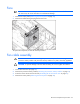
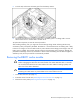
Fans
IMPORTANT: Remove and replace one fan at a time. If the system detects two fan failures in
the same zone, the server shuts down to avoid thermal damage.
1. Remove the access panel ("Removing the access panel" on page 28).
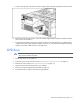
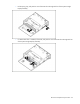
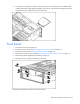
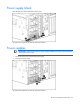
2. Remove the malfunctioning hot-plug fan from the server.
To replace the component, reverse the removal procedure.
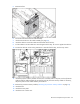
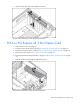
Fan cable assembly
lr
WARNING: Use caution when installing the processor memory module or removing the
processor memory module. The processor memory module is very heavy when fully populated.
CAUTION: To prevent damage to the fan cable assembly, do not over tighten the cable tie.
1. Power down the server (on page 26).
2. Remove the processor memory module ("Removing the processor memory module" on page 29).
3. Extend or remove the server from the rack ("Extending the server from the rack" on page 27).
4. Remove the access panel ("Removing the access panel" on page 28).