
ProLiant DL580 Generation 5 Maintenance and Service Guide


Removal and replacement procedures 47
16.
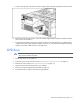
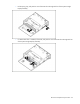
Install the processor memory module into the server.
17. Power up the server, and resume normal server operations.
Non-hot-plug expansion boards
CAUTION: To prevent improper cooling and thermal damage, do not operate the server unless
all expansion slots have either an expansion slot cover or an expansion board installed.
1. Power down the server (on page 26).
2. Extend or remove the server from the rack ("Extending the server from the rack" on page 27).
3. Remove the access panel ("Removing the access panel" on page 28).
4. Disconnect any internal or external cables attached to the expansion board.
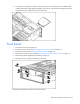
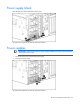
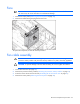
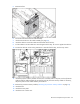
5. Open the PCI latch.
6. Unlock the retaining clip (for full-length expansion boards).
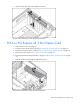
7. Remove the expansion board.
To replace the component, reverse the removal procedure.
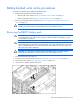
Expansion slot cover
CAUTION: To prevent improper cooling and thermal damage, do not operate the server unless
all expansion slots have either an expansion slot cover or an expansion board installed.
1. Power down the server (on page 26).
2. Extend or remove the server from the rack ("Extending the server from the rack" on page 27).
3. Remove the access panel ("Removing the access panel" on page 28).