
ProLiant DL580 Generation 5 Maintenance and Service Guide


Removal and replacement procedures 50
5.
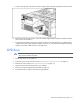
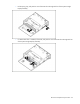
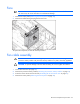
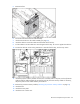
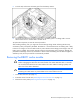
Press the tab, and remove the battery pack from the battery retainer.
6. Disconnect the cable from the cache module only if the battery pack is not being used to recover
data from the server or transfer data to another server.
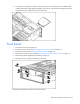
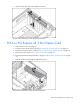
To replace the component, reverse the removal procedure.
After installing a battery pack, you might see a POST message during reboot indicating that the array
accelerator (cache) is temporarily disabled. This behavior is normal because the new battery pack is likely
to have a low charge. You do not need to take any action because the recharge process begins when the
battery pack is installed. The controller operates properly while the battery pack recharges, although the
performance advantage of the array accelerator is absent. When the battery pack has been charged to a
satisfactory level, the array accelerator is automatically enabled.
Removing the BBWC cache module
CAUTION: After the server is powered down, wait 15 seconds and then check the amber LED
before unplugging the cable from the cache module. If the amber LED blinks after 15 seconds,
do not remove the cable from the cache module. The cache module is backing up data, and
data is lost if the cable is detached.
CAUTION: Do not detach the cable that connects the battery pack to the cache module.
Detaching the cable causes any unsaved data in the cache module to be lost.
1. Power down the server (on page 26).
2. Extend the server from the rack ("Extending the server from the rack" on page 27).
3. Remove the access panel ("Removing the access panel" on page 28).