
ProLiant DL580 Generation 5 Maintenance and Service Guide


Removal and replacement procedures 51
4.
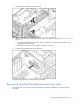
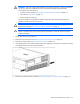
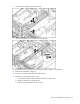
If the bracket is installed, remove the bracket.
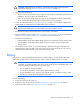
5. If the existing cache is connected to a battery, observe the BBWC Status LED ("Battery pack LEDs" on
page 79).
o If the LED is blinking every 2 seconds, data is still trapped in the cache. Restore system power,
and repeat the previous steps.
o If the LED is not lit, disconnect the battery cable from the cache.
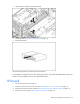
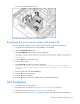
6. Pull the cache module away from the SPI board.
To replace the component, reverse the removal procedure.
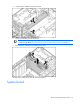
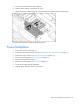
Recovering data from the battery-backed write cache
If the server fails, you can recover any data temporarily trapped in the BBWC by using the following
procedure.