
ProLiant DL580 Generation 5 Maintenance and Service Guide


Removal and replacement procedures 58
5.
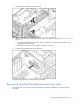
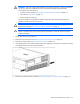
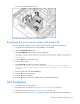
Disconnect all cables from the SAS backplane.
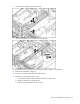
6. Slide the plastic retainer to the front of the server.
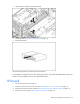
7. Lift the backplane, slide the board over the anchoring pins, and lift the board out of the server.
To replace the component, reverse the removal procedure.
Power backplane
1. Power down the server (on page 26).
2. Extend or remove the server from the rack ("Extending the server from the rack" on page 27).
3. Remove the access panel ("Removing the access panel" on page 28).
4. Remove all power supplies ("Power supplies" on page 44).
5. Remove the SPI board (on page 53).
6. Remove the system board ("System board" on page 54).
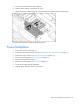
7. Disconnect all cables from the backplane.
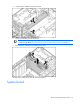
8. Slide the plastic retainer to the rear of the server.