
XenServer Administrator's Guide 4.1.0


Command line interface
94
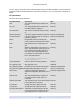
Copy an existing VM, but without using storage-level fast disk clone operation (even if this is available).
The disk images of the copied VM are guaranteed to be "full images" - that is, not part of a copy-on-write
(CoW) chain.
Specify the name and the optional description for the resulting copied VM using the new-name-label and
new-name-description arguments.
Specify the destination SR for the resulting copied VM using the sr-uuid. If this parameter is not specified,
the destination is the same SR that the original VM is in.
The VM or VMs on which this operation should be performed are selected via the standard selection mech-
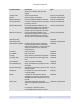
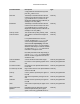
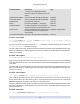
anism (see VM selectors). Optional arguments can be any number of the VM parameters listed at the be-
ginning of this section.
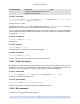
5.4.22.9. vm-crashdump-list
vm-crashdump-list [ vm-selector=vm selector value...]
List crashdumps associated with the specified VMs.
If the optional argument params is used, the value of params is a string containing a list of parameters of
this object that you want to display. Alternatively, you can use the keyword all to show all parameters. If
params is not used, the returned list shows a default subset of all available parameters.
The VM or VMs on which this operation should be performed are selected via the standard selection mech-
anism (see VM selectors). Optional arguments can be any number of the VM parameters listed at the be-
ginning of this section.
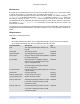
5.4.22.10. vm-create
vm-create name-label=name for VM [name-description=description string for VM ]
Create a new VM with default parameters. Despite its suggestive name, this command does not leave you
with a running or runnable VM -- it really creates a template. The resultant UUID must be used as the
template-uuid argument passed to the vm-install command.
This is an advanced command and should not normally be used to install VMs. Instead, use the pre-defined
templates and the vm-install command to instantiate new VMs.
5.4.22.11. vm-destroy
vm-destroy uuid=UUID of VM
Destroy the specified VM. This leaves the storage associated with the VM intact. To delete storage as well,
use xe vm-uninstall.
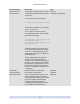
5.4.22.12. vm-disk-add
vm-disk-add disk-size=size of disk to add device=uuid_of_device [ vm-selector=vm se-
lector value...]
Add a new disk to the specified VMs. The device field should be selected from the value of the al-
lowed-VBD-devices parameter of the VMs.
The disk-size parameter can be specified in bytes or using the IEC standard suffixes KiB (2
10
bytes),
MiB (2
20
bytes), GiB (2
30
bytes), and TiB (2
40
bytes).