
XenServer Administrator's Guide 4.1.0


Command line interface
92
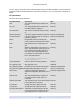
Parameter Name Description Type
z, where z is the single-letter military
timezone indicator, for example, Z for UTC
(GMT)
actions-after-shutdown action to take after the VM has shutdown read/write
actions-after-reboot action to take after the VM has rebooted read/write
possible-hosts potential hosts of this VM read only
dom-id domain ID (if available, -1 otherwise) read only
recommendations An XML specification of recommended
values and ranges for properties of this VM
read only
xenstore-data data to be inserted into the xenstore tree (/
local/domain/<domid>/vm-data) after the
VM is created
read/write map parameter
vm-metrics-last-updated time when VM metrics were last updated read only
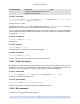
5.4.22.1. vm-cd-add
vm-cd-add cd-name=name of new CD device=integer value of an available VBD [ vm-
selector=vm selector value...]
Add a new virtual CD to the selected VM. The device parameter should be selected from the value of the
allowed-VBD-devices parameter of the VM.
The VM or VMs on which this operation should be performed are selected via the standard selection mech-
anism (see VM selectors). Optional arguments can be any number of the VM parameters listed at the be-
ginning of this section.
5.4.22.2. vm-cd-eject
vm-cd-eject [ vm-selector=vm selector value...]
Eject a CD from the virtual CD drive. This command will only work if there is one and only one CD attached
to the VM. When there are two or more CDs, please use the command xe vbd-eject and specify the UUID
of the VBD.
The VM or VMs on which this operation should be performed are selected via the standard selection mech-
anism (see VM selectors). Optional arguments can be any number of the VM parameters listed at the be-
ginning of this section.
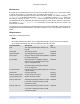
5.4.22.3. vm-cd-insert
vm-cd-insert cd-name=name of CD [ vm-selector=vm selector value...]
Insert a CD into the virtual CD drive. This command will only work if there is one and only one empty CD
device attached to the VM. When there are two or more empty CD devices, please use the command xe
vbd-insert and specify the UUIDs of the VBD and of the VDI to insert.
The VM or VMs on which this operation should be performed are selected via the standard selection mech-
anism (see VM selectors). Optional arguments can be any number of the VM parameters listed at the be-
ginning of this section.
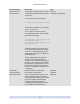
5.4.22.4. vm-cd-list
vm-cd-list [vbd-params] [vdi-params] [ vm-selector=vm selector value...]