
XenServer Virtual Machine Installation 4.1.0

Installing Linux VMs
16
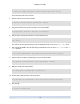
xe vm-install template="<template name>" new-name-label=<name for VM>
This returns the UUID of the new VM.
4. Get the UUID of the new VM's root disk:
xe vbd-list vm-uuid=<VM UUID> params=uuid --minimal
5. Using the UUID returned, set the root disk to be not be bootable:
xe vbd-param-set uuid=<root disk UUID> bootable=true
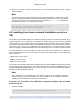
6. Get the name of the physical CD drive on the XenServer Host:
# xe cd-list
The result of this command should give you something like SCSI 0:0:0:0 for the name-label field.
7. Add a virtual CD-ROM to the new VM using the XenServer Host's CD drive name-label in the cd-
name argument:
xe vm-cd-add uuid=<VM UUID> cd-name="<host CD drive name label>" device=3
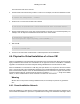
8. Get the UUID of the VBD corresponding to the new virtual CD drive:
# xe vbd-list vm-uuid=<VM UUID> type=CD params=uuid --minimal
9. Make the virtual CD's VBD bootable:
# xe vbd-param-set uuid=<VM UUID> bootable=true
10. Set the VM's install repository to be the CD drive:
# xe vm-param-set uuid=<VM UUID> other-config:install-repository="cdrom"
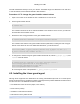
11. Start the VM:
xe vm-start uuid=<VM UUID>