
Compaq ProLiant ML530 Setup and Installation Guide

2-28 Compaq ProLiant ML530 Setup and Installation Guide
Compaq Confidential – Need to Know Required
Writer: Tricia Acevedo Project: Compaq ProLiant ML530 Setup and Installation Guide Comments:
Part Number: 139006-002 File Name: c-ch2 Installing Hardware.doc Last Saved On: 6/13/00 12:29 PM
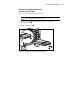
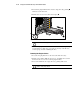
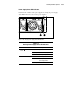
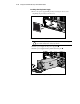
Accessing Hot-Plug SCSI Hard Drives
Important Guidelines About Replacing Hot-Plug
SCSI Hard Drives
When replacing hot-plug hard drives, these guidelines and the table must be
followed:
■ Never remove more than one drive at a time. When a drive is
replaced, the controller uses data from the other drives in the array to
reconstruct data on the replacement drive. If more than one drive is
removed, a complete data set is not available to reconstruct data on the
replacement drive.
■ Never remove a working drive when another drive has failed. Drives
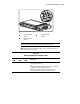
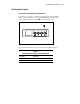
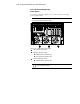
that have been failed by the controller are indicated by the amber Drive
Failure LED on the drive tray. Permanent data loss occurs if a working
drive is removed when replacing a failed drive.
■ Never remove a drive while another drive is being rebuilt. A drive’s
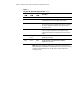
online LED flashes green when it is being rebuilt. A replaced drive is
restored from data stored on the other drives.
■ Never turn a ProLiant Storage System off while the server
controlling it is powered on. Doing so causes the server’s Smart
Controller to mark the drives as “failed.” This could result in permanent
data loss.
■ If an online spare drive is installed, wait for it to finish rebuilding
before replacing the failed drive. When a drive fails, the online spare
becomes active and begins being rebuilt as a replacement drive. After
the online spare has been completely rebuilt (the online LED is solid
green), the failed drive should be replaced with a new replacement
drive. Do not replace the failed drive with the online spare.
■ A POST error message (1786) occurs when the system is turned on
if a drive has been replaced while the system is off. When this occurs,
you will be prompted to:
PRESS <F1> TO BOOT THE SYSTEM AND REBUILD THE REPLACED DRIVE, OR
PRESS <F2> TO BOOT THE SYSTEM AND NOT REBUILD THE DRIVE(S).
CAUTION: Pressing F2 will cause permanent data loss to the entire logical
drive. Press F2 only if all of the drives have been replaced or if complete data
loss is desired.