
ReadFirst sheet for hp tower server tc2100 (English)

ReadFirst Sheet for HP Tower Server tc2100
HP Part Number P4648-90004, Doc # P4648-90004-1 '!#!%(&!'
Printed in August 2001
Installation Options
WARNING Before removing the cover, always disconnect the power cord and unplug telephone cables.
Disconnect the power cord to avoid exposure to high energy levels that may cause burns when
parts are short-circuited by metal objects such as tools or jewelry. Disconnect telephone cables to
avoid exposure to shock hazard from telephone ringing voltages.
The following upgrades (hard disk drives, memory (DIMMs), and PCI boards) require removing
the cover from the HP Server tc2100. Ensure you disconnect power from the Server before
opening it. BE SURE to observe appropriate ESD precautions when handling electronic
components.
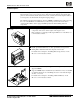
6a) If Installing Accessories, remove
the covers
Installing options or upgrades in the Server requires access to the internal
components of the Server, which requires removing the covers.
Refer to Chapter 3, "Opening and Closing the HP Server” in the HP Server
tc2100
Installation Guide.
6b) Add Mass Storage Devices
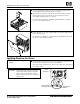
Install optional hard disk drives or other optional mass storage devices.
Adding IDE or SCSI hard disk drives depends on the model.
For details refer to Chapter 4, "Installing Mass Storage Devices” in the
HP Server tc2100
Installation Guide.
6c) Add Memory (DIMMs)
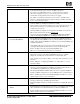
You can install more memory or upgrade the existing memory. Use only HP
supported DIMMs.
Supported DIMMs may be installed in any combination, in any slot, but HP
recommends starting at slot 1 and filling the slots in order with the largest
size first: 1, 2, and 3.
For details refer to Chapter 5, "Installing Additional Memory” in the
HP Server tc2100
Installation Guide.