
FW 07.00.00/HAFM SW 08.06.00 McDATA Intrepid 6064 Director Installation and Service Manual (620-000108-920, April 2005)



2
Task 8: Configure the Director at the Element Manager Application
2-59
Installation Tasks
Subtask G: Configure Switch Binding
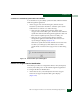
The switch binding (SANtegrity binding) feature specifies devices
that can connect to the director ports. This provides security in SAN
environments by ensuring that only an intended set of devices can
communicate with the director.
Background: Switch Binding
Specific operating parameters and optional features must be enabled
for switch binding to function. In addition, there are requirements for
disabling these parameters and features when the director is online or
offline, such as:
• Switch binding can be enabled or disabled when the director is
either offline or online.
• If Enterprise Fabric Mode is enabled from the SAN management
application:
— Switch binding is automatically enabled.
— Switch binding cannot be disabled if the director is online.
— Switch binding can be disabled if the director is offline.
However, if switch binding is disabled, Enterprise Fabric
Mode is also disabled.
• WWNs can be added to the membership list when switch binding
is either enabled or disabled.
• WWNs can be removed from the membership list only if one or
more of the following are true:
— The director is offline.
— Switch binding is disabled.
— The associated device is not connected to the director.
— The associated device is connected to a blocked port.
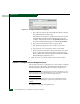
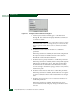
— Switch binding is not enabled for the same port type as
enabled at the Switch Binding - Change State dialog box
(Connection Policy). For example, a WWN for a fabric director
or switch connected to an E_Port can be removed if switch
binding is enabled to restrict only F_Ports.