
FW 07.00.00/HAFM SW 08.06.00 McDATA Intrepid 6064 Director Installation and Service Manual (620-000108-920, April 2005)


2
Task 8: Configure the Director at the Element Manager Application
2-73
Installation Tasks
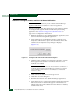
— Click the Default Threshold check box. A check mark appears in
the box and a calculated default value appears (1% to 99%) in
the adjacent field. If the default value is enabled, a value
cannot be entered in the field.
— Ensure the Default Threshold check box is blank. At the adjacent
field, type a percentage value from 1% to 99%.
NOTE: The default low BB_Credit threshold is calculated by the
director firmware.
9. Click Activate to enable the changes and close the dialog box.
Subtask L: Enable SANpilot Interface and Telnet Access
Perform this procedure to enable the SANpilot interface and Telnet
access through the director maintenance port. To enable these
functions:
1. To enable the SANpilot interface at the Hardware View for the
selected director, select Enable Web Server from the Configure
menu. A check mark appears in the box when the interface is
enabled, and the menu closes.
2. To enable Telnet access at the Hardware View for the selected
director, click Configure at top of the view and select Enable Telnet.
A check mark appears in the box when access is enabled, and the
menu closes.
Subtask M: Configure, Enable, and Test E-mail Notification
Perform this procedure to configure, enable, and test e-mail and
simple mail transfer protocol (SMTP) addresses to receive notification
of director (and other product) events. Configure and test procedures
are performed at the SAN management application. E-mail
notification is enabled for each director or switch at the Element
Manager application.
To configure, enable, and test e-mail addresses:
1. Minimize the Hardware View (Element Manager application) and
return to the SAN management application.