
FW 07.00.00/HAFM SW 08.06.00 McDATA Intrepid 6064 Director Installation and Service Manual (620-000108-920, April 2005)


2
Task 9: Configure SANtegrity Authentication (Optional)
2-77
Installation Tasks
Task 9: Configure SANtegrity Authentication (Optional)
This feature is accessed from the SANtegrity Authentication Dialog box
in the individual element managers applications. The element
manager lets you manage one device at a time.
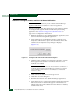
Access the SANtegrity Authentication dialog box by clicking the
Configure Menu on the element manager window and clicking
SANtegrity Authentication.
To access the SANtegrity Authentication, one user must have the
security administrator privilege. If not, the Security tab is hidden. By
default, the security administrator user group displays when
installing this feature.
The upper right part of the window shows the main working area,
where the security administrator configures the authentication
security settings.
The lower left part of the window shows the regular Master Log and
the lower right part of the window shows the Security Log.
NOTE: The SANtegrity Authentication dialog box is only available to the
security administrator so the Security Log is only available to the security
administrator.
Change the default size of the display by placing the cursor on the
divider until a double arrow displays. Click and drag the adjoining
divider to resize the window. You can also show or hide an area by
clicking the left or right arrow on the divider.
On the tool bar the Display By option and the Search Box option are
disabled.
Accessing SANtegrity Authentication
There are five tabs in the Authentication section: Users tab allows
security administrator setup users who accessing the switch from CLI
and web interfaces.
• Software tab allows the security administrator to setup software
applications that can communicate with the switch through API,
as well as OSMS authentication.