
FW 07.00.00/HAFM SW 08.06.00 McDATA Intrepid 6064 Director Installation and Service Manual (620-000108-920, April 2005)


2
2-80
Intrepid® 6064 Director Installation and Service Manual
Installation Tasks
NOTE: The default TightVNC viewer password is password.
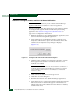
e. Click the Send Ctrl-Alt-Del button at the top of the window to
log on to the management server desktop. The Log On to
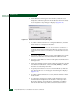
Windows dialog box displays (Figure 2-16).
NOTE: Do not simultaneously press Ctrl, Alt, and Delete. This action
logs the user on to the PC, not the rack-mount management server.
f. Type the default Windows 2000 user name and password and
click OK. The management server Windows 2000 desktop
opens and the EFCM or SANavigator Log In dialog box
displays (Figure 2-17).
NOTE: The default Windows 2000 user name is Administrator and
the default password is password. The user name and password are
case-sensitive.
g. Type the SAN management application default user name and
password and select a management server or IP address from
the Network Address drop-down list.
NOTE: The default SAN management application user name is
Administrator and the default password is password. The user name
and password are case-sensitive.
h. Click Login. The application opens and the EFCM or
SANavigator main window View appears (Figure 2-32).
7. Remove the base restore CD from the CD-RW drive and store the
CD in a safe location. Insert a blank rewritable CD into the
CD-RW drive and format the CD (step 1).
8. Go to Task 11: Cable Fibre Channel Ports on page 2-113.
Task 11: Configure the Director at the SANpilot Interface
To configure the director from the SANpilot interface, selectively
perform the following configuration tasks according to the customer
installation requirements:
• Connect director to Internet or Ethernet LAN segment (Subtask A:
Connect Director to Internet or Ethernet LAN Segment on page 2-82).