
FW 07.00.00/HAFM SW 08.06.00 McDATA Intrepid 6064 Director Installation and Service Manual (620-000108-920, April 2005)




2
Task 11: Configure the Director at the SANpilot Interface
2-85
Installation Tasks
• Generic port (G_Port).
• Fabric port (F_Port).
•Expansion port (E_Port).
e. Select from the drop-down list in the Speed column to
configure the port transmission rate. Available selections are:
• Auto-negotiate between 1.0625, 2.125, and 10.625 Gbps
operation (Negotiate). This is the default.
• 1.0625 Gbps operation (1 Gb/sec).
• 2.125 Gbps operation(2 Gb/sec).
• 10.625 Gbps operation(10 Gb/sec).
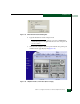
2. Click Activate to save and activate the changes. The message Your
changes to the port configuration have been successfully
activated appears.
Subtask D: Configure BB Credit
Perform this procedure to configure the BB Credit allocation for all
ports on the product. For each type of port, there is a maximum and
minimum BB Credit limit which is displayed as a range. To configure
the BB Credit allocation, the port must be set to offline. The simplest
way to set the port to offline is to block the port. As you enter the BB
Credit value, the value will be validated and an error message will be
displayed for each port if applicable. The BB Credit configuration will
not be activated if there are any outstanding errors.
To configure BB credits:
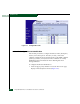
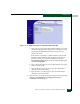
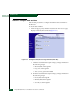
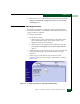
1. At the View panel, select the Configure option at the left side of the
panel. The Configure panel opens with the Ports page displayed
(Figure 2-65). Select the BB Credits tab is selected. Use the vertical
scroll bar to display additional port information rows.
2. It is recommended you select the Default values. If not, you can
enter values in the RX BB Credit field.
3. Select Activate to save the changes.
4. Place the port back online.