
FW 07.00.00/HAFM SW 08.06.00 McDATA Intrepid 6064 Director Installation and Service Manual (620-000108-920, April 2005)




2
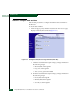
Task 11: Configure the Director at the SANpilot Interface
2-87
Installation Tasks
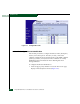
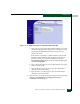
Figure 2-67 Configure Panel (Director Page with Identification Tab)
a. Type a director name in the Name field. Each director or switch
should be configured with a unique name. The director name
can be up to 24 alphanumeic characters and you can use
spaces in the name.
If the director is installed on a public LAN, the name should
reflect the director Ethernet network domain name system
(DNS) host name. For example, if the DNS host name is
intrepid6064.mcdata.com, the name entered in this dialog box
should be intrepid6064.
b. Type a director description up to 255 alphanumeric characters
in the Description field.
c. Type the director physical location up to 255 alphanumeric
characters in the Location field.
d. Type the name of a contact person up to 255 alphanumeric
characters in the Contact field.
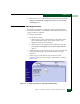
2. Click Activate to save and activate the changes. The message Your
changes to the identification configuration have been
successfully activated appears.