
FW 07.00.00/HAFM SW 08.06.00 McDATA Intrepid 6064 Director Installation and Service Manual (620-000108-920, April 2005)





2
Task 11: Configure the Director at the SANpilot Interface
2-95
Installation Tasks
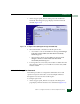
c. At the Gateway Address field, type the new value as specified
by the customer network administrator (default is 0.0.0.0).
3. Click Activate to save and activate the changes.
4. Update the address resolution protocol (ARP) table for the
browser PC.
a. Select the Exit option from the File menu to close the SANpilot
interface and browser applications. The Windows desktop
displays.
b. At the Windows desktop, click Start at the left side of the task
bar. The Windows Workstation menu displays.
c. At the Windows Workstation menu, sequentially select the
Programs and Command Prompt options. A disk operating
system (DOS) window displays.
d. Delete the director old IP address from the ARP table. At the
command (C:\) prompt, type arp -d xxx.xxx.xxx.xxx, where
xxx.xxx.xxx.xxx is the old IP address for the director.
e. Click close (X) at the upper right corner of the DOS window to
close the window and return to the Windows desktop.
5. At the PC, launch the browser application (Netscape Navigator
or
Internet Explorer).
6. At the browser, enter the director new IP address as the Internet
URL. The Enter Network Password dialog box displays.
7. Type the default user name and password.
NOTE: The default user name is Administrator and the default
password is password. The user name and password are case-sensitive.
8. Click OK. The SANpilot interface opens with the View panel open
and the Director page displayed.
9. IML the director (IML, IPL, or Reset the Director on page 4-53).
Subtask J: Configure SNMP
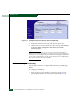
Perform this procedure to configure community names, write
authorizations, network addresses, and user datagram protocol
(UDP) port numbers for SNMP trap message recipients. A trap