
FW 07.00.00/HAFM SW 08.06.00 McDATA Intrepid 6064 Director Installation and Service Manual (620-000108-920, April 2005)





2
2-98
Intrepid® 6064 Director Installation and Service Manual
Installation Tasks
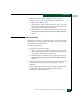
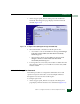
Figure 2-73 Configure Panel (Management Page with CLI Tab)
2. Perform one of the following steps:
• Click Enable to activate the CLI. The message Your changes to
the CLI enable state have been successfully activated
appears.
• Click Disable to deactivate the CLI. The message Your changes
to the CLI enable state have been successfully activated
appears.
3. To enable SSH, from the Protocol drop down box, select SSH.
4. Select Activate to enable SSH for Telnet.
NOTE: The default value is Telnet which means that data is not encrypted
between the user and the product. By selecting SSH, data, such as a user ID
and password, is encrypted between the user and the product.
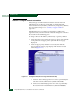
Subtask L: Enable or Disable OSMS and Host Control
Perform this procedure to toggle (enable or disable) host control of
the director through the OSMS. The OSMS feature must be installed
to access this control (Subtask S: Install Feature Keys on page 2-111). If
the feature is not installed, the message OSMS Feature Not Installed
appears.
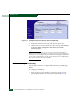
To enable or disable host control: