
FW 07.00.00/HAFM SW 08.06.00 McDATA Intrepid 6064 Director Installation and Service Manual (620-000108-920, April 2005)

2
Task 11: Configure the Director at the SANpilot Interface
2-105
Installation Tasks
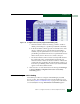
•If you select Detached Node WWN, type the WWN of a
detached node. The WWN must be entered as hex digits, all
uppercase, and with no colon seperator between digits.
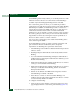
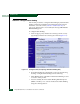
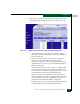
4. Select the Add the following member by button next to the node that
you wish to add. The tab view refreshes and the node is now
listed in the SBML at the bottom of the screen.
5. If a duplicate member is submitted for the membership list, an
error message is displayed that an invalid membership list has
been submitted.
Deleting a List
Member
WWNs can only be removed from the SBML if any of the following
are true:
• The director or switch is offline.
• Switch Binding is disabled.
• The switch or device with the WWN is not currently connected to
the director or switch (detached node).
• Switch Binding is not enabled for the same port type as enabled
for the connection policy. For example, a WWN for a switch
attached to an E_Port can be removed if the Switch Binding
connection policy is set to Enabled & Restrict F_Ports.
• The switch or device with the WWN is connected to a port that is
blocked.
To delete a member or all members from the SBML, perform the
following procedure:
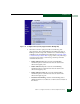
1. Select Configure from the navigation panel.
2. Select the Security tab and the Switch Binding tab.
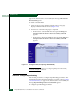
3. Select the Delete button next to the listing for the member.
4. At the Are you sure you want to delete this member? prompt, click
OK. The SBML redisplays without the deleted member.
5. If you want to delete all of the members of s switch bindling
membership list, select Delete All Members from the Switch Binding
Membership List.