
FW 07.00.00/HAFM SW 08.06.00 McDATA Intrepid 6064 Director Installation and Service Manual (620-000108-920, April 2005)

2
Task 11: Configure the Director at the SANpilot Interface
2-107
Installation Tasks
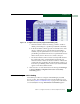
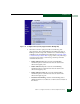
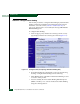
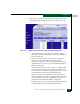
— Activate: By selecting this button, you save the pending FBML
as the active FBML and activate Fabric Binding.
— Deactivate: By selecting this button, you change the Fabric
Binding status from active to inactive, disabling Fabric
Binding.
• Actions to Modify the Pending Fabric Binding Membership List
(FBML)—Enables you to modify the pending FBML using the
following buttons:
— Delete All: By selecting this button, you can delete all
members from the pending FBML that are not attached to the
current fabric. Members that are attached must remain in the
list, because the membership list must contain all attached
members to be activated.
— Load Active: By selecting this button, you can copy the
contents of the active FBML to the pending FBML. The added
members may include unattached members of the active
FBML.
— Update: By selecting this button, you can update the pending
FBML to include all currently attached fabric members.
Unattached members of the active FBML are not added to the
list by this action.
— Add: By selecting this button, you can add a new member to
the FBML as defined in the Domain ID and WWN fields below
the button.
• The Pending Fabric Binding Membership List—Enables you to
view the pending FBML as it is being updated and to delete
unattached members from the list. Members of the pending
FBML are listed by WWN.
NOTE: For detailed instructions on configuring fabric binding, review the
SANpilot User Manual.
Subtask Q: Enable or Disable Enterprise Fabric Mode
Perform this procedure to toggle (enable or disable) the use of
Enterprise Fabric Mode (EFM). The SANtegrity feature must be
installed to access this control (Subtask S: Install Feature Keys on