
FW 07.00.00/HAFM SW 08.06.00 McDATA Intrepid 6064 Director Installation and Service Manual (620-000108-920, April 2005)




2
2-112
Intrepid® 6064 Director Installation and Service Manual
Installation Tasks
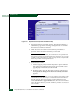
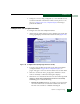
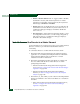
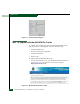
Figure 2-81 Operations Panel (Feature Installation Tab)
4. Type the feature key and click Activate. The interface displays a
confirmation page with a warning, stating this action overrides
the current set of director features.
5. Click Activate to activate the new feature key. The director
performs an IPL when the feature key is activated.
NOTE: When Activate is selected, all current features are replaced with
new features. Features not included in the new feature key are no longer
available on the system. Because of this, it is important to verify that the
feature key enables all of designed features.
6. Set the director online.
a. At the Configure panel, select the Operations option at the left
side of the panel. The Operations panel opens and the Switch
page displays with the Beacon tab selected
b. Click the Online State tab, then click Set Online. The message
Your operations changes have been successfully activated
appears.
NOTE: PFE keys are encoded to work only with the serial number of the
installed director. Record the key to re-install the feature. If the director
must be replaced, obtain new PFE keys from the McDATA Solution
Center (800-752-4572 or support@mcdata.com). Have the serial numbers
of the old and new directors, and the old PFE key number or transaction
code available.