
FW 07.00.00/HAFM SW 08.06.00 McDATA Intrepid 6064 Director Installation and Service Manual (620-000108-920, April 2005)


2
Task 11: Cable Fibre Channel Ports
2-113
Installation Tasks
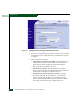
NOTE: If you receive the error message 238, either the feature key was
entered incorrectly or the feature key is not valid for that feature. Contact
the McDATA Solution Center for assistance.
Task 11: Cable Fibre Channel Ports
Perform this task to connect devices to the director. To cable Fibre
Channel ports:
1. Route singlemode or multimode fiber-optic cables (depending on
the type of SFP optic transceivers installed) from
customer-specified devices to ports at the front of the director.
2. Connect device cables to ports and route the cables through the
cable management assembly at the bottom front of the director.
Start with the center port cards adjacent to the CTP2 cards and
work outward. In addition, start with the bottom port of each
port card and work upward.
3. Perform one of the following:
• If the director is installed in a customer-supplied equipment
rack, bundle Fibre Channel cables from the director and other
equipment (groups of 16 maximum), and secure them as
directed by the customer.
• If the director is installed in a McDATA Fabricenter equipment
cabinet, bundle Fibre Channel cables from the director and
other equipment (groups of 16 maximum), and secure them in
the cable management area at the front-left side of the cabinet.
4. Set the director online (Set the Director Online or Offline on
page 4-43).
Task 12: Configure Zoning
Perform this procedure to:
• Configure, change, add, or delete zones. A zone is a group of
devices that can access each other through port- to-port
connections. Devices in the same zone can recognize and
communicate with each other; devices in different zones cannot.