
FW 07.00.00/HAFM SW 08.06.00 McDATA Intrepid 6064 Director Installation and Service Manual (620-000108-920, April 2005)

3
3-10
Intrepid® 6064 Director Installation and Service Manual
Maintenance Analysis Procedures (MAPS)
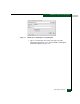
— The user name, maintenance password, and management
server name. All are case sensitive and required when
prompted at the EFCM Log In or SANavigator Log In dialog
box.
• If performing fault isolation using a customer-supplied server
accessing the SANpilot interface, the administrator user name
and password. Both are case sensitive and required when
prompted at the Username and Password Required dialog box.
• If performing fault isolation using a customer-supplied server
running the EFCM Lite application:
— The operating system user name and password. These are
required when prompted during any MAP or repair
procedure that directs the server to be rebooted.
— The user name, maintenance password, and server name.
All are case sensitive and required when prompted at the
EFCM Log In dialog box.
Continue.
2
Are you at the management server or customer-supplied server
running the EFCM Lite application?
YES NO
↓ Go to step 24
3
Did the management server or customer-supplied server lock up or
crash and:
• Display an application warning or error message, or
• Not display an application warning or error message, or
• Display a Dr. Watson for Windows 2000 dialog box?
NO YES
↓ A management server or customer-supplied server
application problem is indicated. Event codes are not
recorded. Go to MAP 0300: Server Application Problem
Determination on page 3-49. Exit MAP.