
FW 07.00.00/HAFM SW 08.06.00 McDATA Intrepid 6064 Director Installation and Service Manual (620-000108-920, April 2005)

3
3-12
Intrepid® 6064 Director Installation and Service Manual
Maintenance Analysis Procedures (MAPS)
c. Wait approximately 30 seconds and press the power ( ) button
on the liquid crystal display (LCD) panel to power on the server
and perform power-on self-tests (POSTs). During POSTs:
1. The green LCD panel illuminates.
2. The green hard disk drive (HDD) LED blinks momentarily,
and processor speed and random-access memory
information display momentarily at the LCD panel.
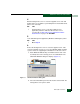
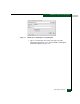
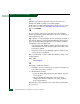
3. After a few seconds, the LCD panel displays the following
message about the boot sequence selection (Figure 3-2):
Figure 3-2 LCD Panel During Boot Sequence
4. Ignore the message. After ten seconds, the server performs
the boot sequence from the basic input/output system
(BIOS). During the boot sequence, the server performs
additional POSTs and displays the following operational
information at the LCD panel:
•Host name.
• System date and time.
• LAN 1 and LAN 2 IP addresses.
• Fan 1, fan 2, fan 3, and fan 4 rotational speed.
• Central processing unit (CPU) temperature.
• Hard disk capacity.
• Virtual and physical memory capacity.
d. After successful POST completion, the LCD panel displays a
Welcome!! message, then continuously cycles through and
displays server operational information.
e. After rebooting the server at the LCD panel, log on to the
management server Windows 2000 desktop through a LAN
connection to a browser-capable PC (Access the Management
Server Desktop on page 2-26).The SAN management
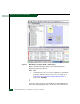
application start and the EFCM Log In or SANavigator Log In
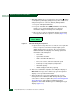
displays (Figure 3-3).
Boot from LAN?
Press <Enter>