
FW 07.00.00/HAFM SW 08.06.00 McDATA Intrepid 6064 Director Installation and Service Manual (620-000108-920, April 2005)

3
3-18
Intrepid® 6064 Director Installation and Service Manual
Maintenance Analysis Procedures (MAPS)
17
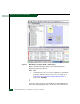
A blinking red and yellow diamond overlays a control processor
(CTP2) card, SBAR assembly, or fan module graphic.
A FRU failure is indicated. Go to step 23 to obtain event codes. If no
event codes are found, go to MAP 0500: FRU Failure Analysis on
page 3-75. Exit MAP.
18
No colored status symbol is associated the icon representing the
director reporting the problem. Although the director is operational, a
minor problem may exist.
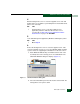
Right-click the icon representing the director reporting the problem. A
pop-up menu appears. Select the Element Manager option from the
menu. The Element Manager application opens and the Hardware
View displays. At the Hardware View:
• Inspect CTP2 cards, SBAR assemblies, and fan modules for a
yellow triangle that overlays the FRU graphic and indicates FRU
beaconing is enabled.
• Inspect port cards for a yellow triangle (attention indicator) that
overlays the port card graphic.
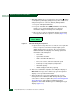
Does a yellow triangle overlay a CTP2 card, SBAR assembly, or fan
module graphic?
YES NO
↓ Go to step 20.
19
Beaconing is enabled for the FRU.
a. Consult the customer and next level of support to determine the
reason FRU beaconing is enabled.
b. Disable FRU beaconing.
1. At the Hardware View, right-click the FRU graphic. A pop-up
menu appears.
2. Click the Enable Beaconing option. The check mark
disappears from the box adjacent to the option, and FRU
beaconing is disabled.
Was FRU beaconing enabled because a FRU failure or degradation
was suspected?