
FW 07.00.00/HAFM SW 08.06.00 McDATA Intrepid 6064 Director Installation and Service Manual (620-000108-920, April 2005)


3
MAP 0000: Start MAP
3-23
Maintenance Analysis Procedures (MAPS)
fan module, and the module must be removed and replaced (RRP:
Fan Module on page 5-30). Exit MAP.
29
Inspect the director for indications of being powered on:
• At the front bezel, an illuminated power LED (green) or system
error LED (amber).
• An illuminated green LED on the active CTP2 card, and
illuminated green PWR OK LEDs on both power supplies.
• Audio emanations and airflow from cooling fans.
Does the director appear powered on?
YES NO
↓ A power distribution problem is indicated. Go to step 23 to
obtain event codes. If no event codes are found, go to MAP
0100: Power Distribution Analysis on page 3-34. Exit MAP.
A faulty power LED is indicated, but director and Fibre Channel port
operation is not disrupted. The LED is connected to the circuitry in a
fan module, and the module must be removed and replaced (RRP:
Fan Module on page 5-30). Exit MAP.
30
Is the system error LED (amber) at the director front bezel blinking?
YES NO
↓ Go to step 32.
31
Unit beaconing is enabled for the director.
a. Consult the customer and next level of support to determine the
reason unit beaconing is enabled.
b. Disable unit beaconing.
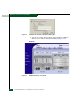
1. At the Hardware View, right-click the front bezel graphic
(away from a FRU). A pop-up menu appears.
2. Click the Enable Unit Beaconing option. The check mark
disappears from the box adjacent to the option, and unit
beaconing is disabled.