
FW 07.00.00/HAFM SW 08.06.00 McDATA Intrepid 6064 Director Installation and Service Manual (620-000108-920, April 2005)


3
3-28
Intrepid® 6064 Director Installation and Service Manual
Maintenance Analysis Procedures (MAPS)
42
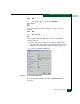
At the director, inspect the amber LED at the top of each CTP2 card.
Is the amber LED illuminated on both CTP2 cards?
NO YES
↓ Failure of both CTP2 cards is indicated. Event codes are not
recorded. Go to MAP 0500: FRU Failure Analysis on
page 3-75. Exit MAP.
43
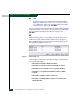
A director-to-PC Internet link problem (Internet too busy or IP address
typed incorrectly) is indicated.
a. Wait approximately five minutes, then attempt to login to the
director again.
b. At the Netsite field (Netscape Navigator) or Address field
(Internet Explorer), type http://xxx.xxx.xxx.xxx, where
xxx.xxx.xxx.xxx is the IP address of the director. The
Username and Password Required dialog box appears.
c. Type the user name and password, and click OK. If the View
panel does not display, wait another five minutes and perform
this step again.
Does the SANpilot interface appear operational with the View panel
displayed?
YES NO
↓ Perform director fault isolation at the management server or
customer-supplied server running the EFCM Lite application.
Go to step 3.
44
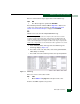
At the View panel, inspect the Status field.
Does the director status indicate Operational?
NO YES
↓ The director appears operational. Exit MAP.
45
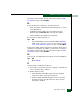
Inspect Fibre Channel port operational states.