
FW 07.00.00/HAFM SW 08.06.00 McDATA Intrepid 6064 Director Installation and Service Manual (620-000108-920, April 2005)

3
3-30
Intrepid® 6064 Director Installation and Service Manual
Maintenance Analysis Procedures (MAPS)
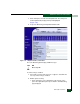
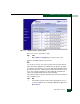
2. Click the Beaconing State check box for the port. The check
mark disappears from the box and port beaconing is
disabled.
3. Return to the View panel (Port Properties tab).
Continue.
47
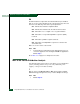
At the View panel, does the Operational State field display a
Segmented message?
NO YES
↓ Port segmentation is indicated. Go to step 52 to obtain event
codes. If no event codes are found, go to MAP 0700: Fabric,
ISL, and Segmented Port Problem Determination on
page 3-105. Exit MAP.
48
At the View panel, does the Operational State field display a message
indicating a port problem?
NO YES
↓ Go to step 52 to obtain event codes. If no event codes are
found, go to MAP 0600: Port Card Failure and Link Incident
Analysis on page 3-83. Exit MAP.
49
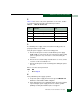
Repeat step 45 through step 48 for each remaining Fibre Channel
port for which a problem is suspected (ports 1 through 63).
Is an problem indicated for any of the ports?
NO YES
↓ Go to step 52 to obtain event codes. If no event codes are
found, go to MAP 0600: Port Card Failure and Link Incident
Analysis on page 3-83. Exit MAP.
50
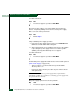
Inspect power supply operational states.
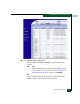
a. At the View panel, click the FRU Properties tab. The View panel
(FRU Properties tab) displays (Figure 3-11).
b. Inspect the Status fields for both power supplies.