
FW 07.00.00/HAFM SW 08.06.00 McDATA Intrepid 6064 Director Installation and Service Manual (620-000108-920, April 2005)

3
3-70
Intrepid® 6064 Director Installation and Service Manual
Maintenance Analysis Procedures (MAPS)
o. Power off the maintenance terminal.
p. Disconnect the RS-232 null modem cable from the director and
the maintenance terminal. Replace the protective cap over the
maintenance port.
Continue.
22
Define the director IP address to the management server or
customer-supplied server.
a. At the SAN management application (EFCM or SANavigator
main window), select the Setup option from the Discover menu.
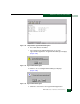
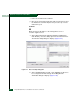
The Discover Setup dialog box displays (Figure 3-27).
Figure 3-27 Discover Setup Dialog Box
b. At the Available Addresses field, select (highlight) the director to
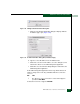
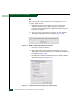
be reconfigured and click Change. The Editing Domain
Information dialog box displays (Figure 3-28).