
FW 07.00.00/HAFM SW 08.06.00 McDATA Intrepid 6064 Director Installation and Service Manual (620-000108-920, April 2005)

3
3-72
Intrepid® 6064 Director Installation and Service Manual
Maintenance Analysis Procedures (MAPS)
23
An incorrect product type is defined to the management server or
customer-supplied server.
a. Right-click the product icon with a grey square and yellow
exclamation mark (representing the director reporting the
problem) at the SAN management application physical map. A
pop-up menu appears.
b. Select the Delete option from the pop-up menu. The EFCM or
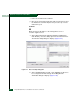
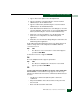
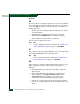
SANavigator Message dialog box displays (Figure 3-30).
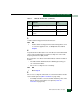
Figure 3-30 EFCM or SANavigator Message Dialog Box
c. Click Yes to delete the director.
d. At the SAN management application main window, select the
Setup option from the Discover menu. The Discover Setup dialog
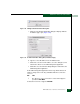
box displays (Figure 3-27).
e. Click Add. The Domain Information dialog box displays with the
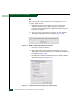
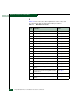
IP Address page open (Figure 3-31).
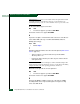
Figure 3-31 Domain Information Dialog Box (IP Address Page)