
FW 07.00.00/HAFM SW 08.06.00 McDATA Intrepid 6064 Director Installation and Service Manual (620-000108-920, April 2005)

3
MAP 0400: Loss of Server Communication
3-73
Maintenance Analysis Procedures (MAPS)
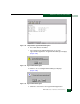
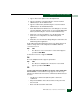
f. Type a director description in the Description field.
g. Type the IP address (determined by the customer network
administrator) in the IP Address field.
h. Type the subnet mask (determined by the customer network
administrator) in the Subnet Mask field.
i. At the Data Source for Domain area of the dialog box, select the
Use auto detection, Use the server, or Use a specific RDC radio
button (determined by the customer network administrator).
j. Click OK to save the information, close the dialog box, and
define the new configuration to the SAN management
application.
k. Click OK to close the Discover Setup dialog box and return to the
SAN management application.
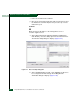
At the SAN management application master log, did the director IP
address change to the new configuration and did the Ethernet
connection recover?
NO YES
↓ The director-to-server connection is restored and appears
operational. Exit MAP.
Contact the next level of support. Exit MAP.
24
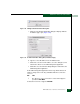
Does the SANpilot interface appear operational?
NO YES
↓ The director-to-SANpilot PC connection is restored and
appears operational. Exit MAP.
25
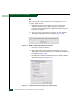
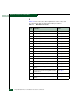
A Page cannot be found, Unable to locate the server, HTTP 404 -
file not found, or other similar message appears. The message
indicates the web browser PC cannot communicate with the director
because:
• The director-to-PC Internet (Ethernet) link could not be
established.
• AC power distribution in the director failed, or AC power was
disconnected.
• Both of the director CTP2 cards failed.