
FW 07.00.00/HAFM SW 08.06.00 McDATA Intrepid 6064 Director Installation and Service Manual (620-000108-920, April 2005)

3
3-74
Intrepid® 6064 Director Installation and Service Manual
Maintenance Analysis Procedures (MAPS)
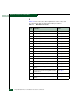
Continue.
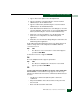
26
Ensure the director reporting the problem is connected to facility AC
power and the power switch (circuit breaker) at the rear of the director
is set to the ON (up) position. Inspect the director for indications of
being powered on:
• At the front bezel, an illuminated power LED (green) or system
error LED (amber).
• An illuminated green LED on the active CTP2 card, and
illuminated green PWR OK LEDs on both power supplies.
• Audio emanations and airflow from cooling fans.
Does the director appear powered on?
YES NO
↓ A power distribution problem is indicated. Go to MAP 0100:
Power Distribution Analysis on page 3-34. Exit MAP.
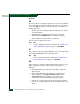
27
At the director, inspect the amber LED at the top of each CTP2 card.
Is the amber LED illuminated on both CTP2 cards?
NO YES
↓ Failure of both CTP2 cards is indicated. Go to MAP 0500:
FRU Failure Analysis on page 3-75. Exit MAP.
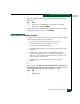
28
Either a director-to-PC Internet link problem (Internet too busy or IP
address typed incorrectly) or a director Ethernet port failure is
indicated.
a. Wait approximately five minutes, then attempt to login to the
director again.
b. At the Netsite field (Netscape Navigator) or Address field
(Internet Explorer), type http://xxx.xxx.xxx.xxx, where
xxx.xxx.xxx.xxx is the IP address of the director. The
Username and Password Required dialog box appears.
c. Type the user name and password, and click OK. If the View
panel does not display, wait five minutes and perform this step
again.