
FW 07.00.00/HAFM SW 08.06.00 McDATA Intrepid 6064 Director Installation and Service Manual (620-000108-920, April 2005)

3
3-78
Intrepid® 6064 Director Installation and Service Manual
Maintenance Analysis Procedures (MAPS)
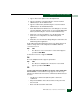
ATTENTION! Do not remove a fan module unless the replacement module
is available. Operation of the director with only one fan module for an
extended period may cause one or more thermal sensors to post event codes.
Do the fan modules appear to function?
NO YES
↓ The director appears operational. Exit MAP.
Contact the next level of support. Exit MAP.
6
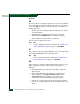
Inspect the faceplates of both CTP2 cards at the front of the director.
Is the amber LED at the top of a CTP2 card illuminated but not
blinking (beaconing)?
YES NO
↓ Go to step 8.
7
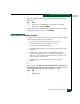
A CTP2 card failed and must be removed and replaced (RRP: CTP2
Card on page 5-7).
• This procedure is concurrent and can be performed while
director power is on.
• Perform the data collection procedure as part of FRU removal
and replacement.
ATTENTION! Do not remove and replace a CTP2 card if the backup CTP2
card is not fully operational and director power is on. The director IP address,
configuration data, and other operating parameters will be lost.
Did CTP2 card replacement solve the problem?
NO YES
↓ The director appears operational. Exit MAP.
Contact the next level of support. Exit MAP.
8
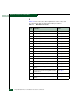
Inspect both SBAR assemblies at the rear of the director. SBAR
assembly LEDs can be inspected through the hexagonal cooling
vents of the RFI shield.