
FW 07.00.00/HAFM SW 08.06.00 McDATA Intrepid 6064 Director Installation and Service Manual (620-000108-920, April 2005)

3
MAP 0600: Port Card Failure and Link Incident Analysis
3-87
Maintenance Analysis Procedures (MAPS)
• Notify the customer that all ports on the defective card are to be
blocked. Ensure the customer system administrator quiesces
Fibre Channel frame traffic through any operational ports on the
card and sets attached devices offline.
• Perform an external loopback test for all ports on the
replacement card as part of FRU removal and replacement
(External Loopback Test (Management Server) on page 4-32).
• Perform the data collection procedure as part of FRU removal
and replacement (Collecting Maintenance Data on page 4-39).
Did port card replacement solve the problem?
NO YES
↓ The director appears operational. Exit MAP.
Contact the next level of support. Exit MAP.
8
Is fault isolation being performed at the management server or
customer-supplied server?
YES NO
↓ Fault isolation is being performed at the SANpilot interface.
Go to step 42.
9
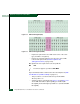
Does a blinking red and yellow diamond (failed FRU indicator) appear
to overlay a port card graphic at the Hardware View?
NO YES
↓ A port card failure is indicated. Go to step 6.
10
Did a port card (all ports) fail a loopback test?
NO YES
↓ Go to step 14.
11
Does a yellow triangle (attention indicator) appear to overlay a port
card graphic at the Hardware View?
YES NO
↓ Go to step 13.