
FW 07.00.00/HAFM SW 08.06.00 McDATA Intrepid 6064 Director Installation and Service Manual (620-000108-920, April 2005)

3
3-90
Intrepid® 6064 Director Installation and Service Manual
Maintenance Analysis Procedures (MAPS)
c. Perform an external loopback test on the port card (External
Loopback Test (Management Server) on page 4-32).
Did reseating the port card solve the problem?
NO YES
↓ The director appears operational. Exit MAP.
Go to step 7.
16
An director port is unblocked and receiving the offline sequence
(OLS) or not operational sequence (NOS) from an attached device.
Inform the customer that the attached device failed or is set offline,
and to take the appropriate corrective action. Exit MAP.
17
Beaconing is enabled for the port.
a. Consult the customer and next level of support to determine the
reason port beaconing is enabled.
b. Disable port beaconing.
1. At the Hardware View, right-click the port graphic. A pop-up
menu appears.
2. Click the Enable Beaconing option. The check mark
disappears from the box adjacent to the option, and port
beaconing is disabled.
Was port beaconing enabled because port failure or degradation was
suspected?
YES NO
↓ The director appears operational. Exit MAP.
Go to step 1.
18
The eight-byte (16-digit) worldwide name (WWN) entered to configure
port binding is not valid or a nickname was used that is not configured
for the attached device in the Element Manager application.
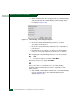
From the Hardware View, click Node List. Note the Port WWN
column. This is the WWN assigned to the port or Fibre Channel
interface installed on the attached device.