
FW 07.00.00/HAFM SW 08.06.00 McDATA Intrepid 6064 Director Installation and Service Manual (620-000108-920, April 2005)

3
MAP 0600: Port Card Failure and Link Incident Analysis
3-91
Maintenance Analysis Procedures (MAPS)
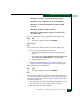
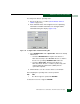
• If a nickname is not assigned to the WWN, the WWN is prefixed
by the device manufacturer name.
• If a nickname is assigned to the WWN, the nickname appears in
place of the WWN.
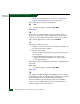
The bound WWN must be entered in the form of a raw WWN format
(XX:XX:XX:XX:XX:XX:XX:XX) or must be a valid nickname. Ensure
a valid WWN or nickname is entered.
Did configuring the WWN or nickname solve the problem?
NO YES
↓ The director appears operational. Exit MAP.
Contact the next level of support. Exit MAP.
19
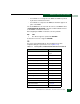
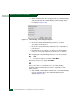
A port has an invalid attachment. The information in the Port
Properties dialog box specifies the reason (Table 3-12).
Table 3-12 Port Properties, Invalid Attachment Reasons and Actions
Reason Action
Unknown Contact the next level of
support.
ISL connection not allowed. Go to step 20.
Incompatible switch. Go to step 21.
External loopback plug connected. Go to step 22.
N-Port connection not allowed. Go to step 20.
Non-McDATA switch at other end. Go to.step 21.
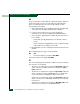
Unauthorized port binding WWN. Go to step 18.
Unresponsive node. Go to step 24.
ESA security mismatch. Go to step 28.
Fabric binding mismatch. Go to step 29.
Authorization failure reject. Go to step 24.
Unauthorized switch binding WWN. Go to step 30.
Fabric mode mismatch. Go to step 21.
CNT WAN extension mode mismatch. Go to step 31.