
FW 07.00.00/HAFM SW 08.06.00 McDATA Intrepid 6064 Director Installation and Service Manual (620-000108-920, April 2005)

3
MAP 0800: Server Hardware Problem Determination
3-121
Maintenance Analysis Procedures (MAPS)
27
Inspect the Fibre Channel port segmentation reason at the SANpilot
interface.
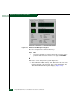
a. At the View panel, click the Port Properties tab. The View panel
(Port Properties tab) displays.
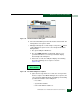
b. Click the port number (0 through 63) of the segmented port.
c. Inspect the Segmentation Reason field for the selected port.
Is the Segmentation Reason field blank or N/A?
NO YES
↓ The director ISL appears operational. Exit MAP.
The Segmentation Reason field displays a reason message.
Tabl e 3-18 lists segmentation reasons and associated steps that
describe fault isolation procedures.
MAP 0800: Server Hardware Problem Determination
This MAP describes isolation of hardware-related problems with the
customer-supplied server communicating with the director through
the management server or customer-supplied server running the
SAN management application, or SANpilot interface.
The MAP provides only high-level fault isolation instructions. Refer
to the documentation provided with the server for detailed problem
determination and resolution.
Table 3-18 Segmentation Reasons and Actions (SANpilot)
Segmentation Reason Action
Incompatible operating parameters. Go to step 14.
Duplicate domain IDs. Go to step 15.
Incompatible zoning configurations. Go to step 16.
Build fabric protocol error. Go to step 17.
No principal switch. Go to step 19.
No response from attached switch. Go to step 20.