
FW 07.00.00/HAFM SW 08.06.00 McDATA Intrepid 6064 Director Installation and Service Manual (620-000108-920, April 2005)

3
MAP 0800: Server Hardware Problem Determination
3-127
Maintenance Analysis Procedures (MAPS)
8
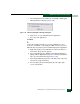
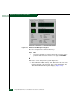
At the EFCM Log In or SANavigator Log In dialog box, type a user
name and password, and click Login. The SAN management
application opens and the EFCM or SANavigator main window
displays (Figure 3-4).
Did the main window display and does the SAN management
application appear operational?
NO YES
↓ The server appears operational. Exit MAP.
9
Perform one of the following:
• If the server has standalone diagnostic test programs resident
on the hard drive, perform the diagnostics. Refer to supporting
documentation shipped with the server for instructions.
• If the server does not have standalone diagnostic test programs
resident on fixed disk, go to step 10.
Did diagnostic test programs detect a problem?
NO YES
↓ Refer to the supporting documentation shipped with the
server for instructions to resolve the problem. Exit MAP.
10
Reboot the server.
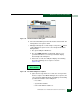
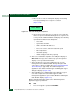
a. At the Windows 2000 desktop, click Start at the left side of the
task bar (bottom of the desktop), then select Shut Down. The
Shut Down Windows dialog box displays (Figure 3-47).
b. Select the Shut Down option from the list box and click OK. The
management server powers down.
c. Wait approximately 30 seconds and press the power ( ) button
on the LCD panel to power on the server and perform POSTs.
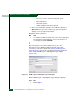
During POSTs:
1. The green LCD panel illuminates.
2. The green HDD LED blinks momentarily, and processor
speed and random-access memory information display
momentarily at the LCD panel.