
FW 07.00.00/HAFM SW 08.06.00 McDATA Intrepid 6064 Director Installation and Service Manual (620-000108-920, April 2005)

4
4-12
Intrepid® 6064 Director Installation and Service Manual
Repair Information
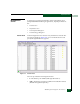
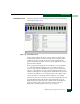
The Logs page provides a Clear Log button for each log. Click the
button to delete all entries for the associated log. The Logs page also
provides a Clear All Logs button. Click the button to delete all entries
in all logs.
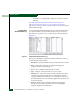
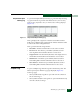
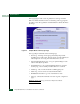
Figure 4-8 SANpilot Monitor Panel (Logs Page)
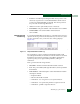
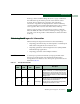
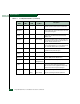
The Logs tab provides links to the following logs:
• Event Log - A listing of messages generated by the product
regarding errors and events. The four levels of events indicate an
increasing level of severity, from Informational to Severe.
• Open Trunking Re-Route Log - A log of open trunking re-route
actions made by the product.
• Link Incident Log - A log of link incidents that have occurred.
Security Log - List of security incidents that have occurred.
• Audit Log - List of events tracked for auditing purposes.
• Fabric Log - List of events associated with the Fabric.
• Embedded Port Frame Log - List of cumulative events.
• All Logs - collects the information for each log into a single text
page.
NOTE: For details on the logs, review the SANpilot User Manual.