
FW 07.00.00/HAFM SW 08.06.00 McDATA Intrepid 6064 Director Installation and Service Manual (620-000108-920, April 2005)

4
4-16
Intrepid® 6064 Director Installation and Service Manual
Repair Information
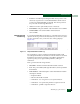
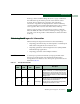
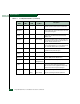
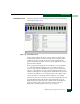
• Name - The port name configured through the Configure Ports
dialog box.
• Block Config - The port status (Blocked or Unblocked). Blocking a
port prevents the attached devices or fabric element from
communicating. A blocked port continuously transmits the OLS.
• State - The port state (Online, Offline, Testing, Beaconing, Invalid
Attachment, Link Incident, Link Reset, No Light, Not Operational, Port
Failure, Segmented E_Port, or Testing).
• Type - The type of port (G_Port, F_Port, or E_Port).
• Operating Speed - The operating speed of the port (Not
Established, 1 Gbps, 2 Gbps, or 10 Gbps).
• Alert - If link Incident (LIN) alerts are configured for the port
through the Configure Ports dialog box, a yellow triangle appears
in the column when a link incident occurs. A yellow triangle also
appears if beaconing is enabled for the port. A red and yellow
diamond appears if the port fails.
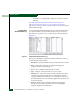
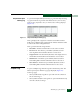
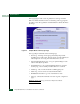
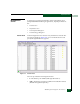
Click anywhere in a row to open the Port Properties dialog box
(Figure 4-11). Right-click anywhere in a row for an installed port to
open a menu to:
•Open the Port Properties, Node Properties, or Port Technology dialog
boxes.
• Block or unblock the port.
• Enable or disable port beaconing.
• Perform port diagnostics.
• Enable or disable port channel wrapping (when the director is
configured for FICON management style).
• Swap one Fibre Channel port address with another (when the
director is configured for FICON management style).
• Clear link incident alerts.
• Reset the port.
• Enable or disable port binding.
•Clear threshold alerts.