
FW 07.00.00/HAFM SW 08.06.00 McDATA Intrepid 6064 Director Installation and Service Manual (620-000108-920, April 2005)

4
4-18
Intrepid® 6064 Director Installation and Service Manual
Repair Information
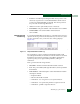
•Open the Port Properties, Node Properties, or Port Technology dialog
boxes.
• Block or unblock the port.
• Enable or disable port beaconing.
• Perform port diagnostics.
• Enable or disable port channel wrapping (when the director is
configured for FICON management style).
• Swap one Fibre Channel port address with another (when the
director is configured for FICON management style).
• Clear link incident alerts.
• Reset the port.
• Enable or disable port binding.
•Clear threshold alerts.
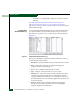
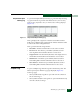
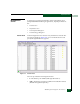
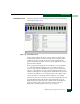
The page displays the following tables of cumulative port statistics
and error count values for a selected port:
• Class 2 statistics - These entries provide information about Class
2 traffic, including:
— Class 2 frames received and transmitted.
— Four-byte words received and transmitted.
— Busied and rejected frames.
• Class 3 statistics - These entries provide information about Class
3 traffic, including:
— Class 3 frames received and transmitted.
— Four-byte words received and transmitted.
— Discarded frames.
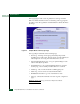
• Error statistics - The Performance View displays the following
error statistics for the port:
— Link failures - Link failures are recorded in response to an
NOS, protocol timeout, or port failure. At the Hardware View, a
yellow triangle appears to indicate a link incident, or a
blinking red and yellow diamond appears to indicate a port
failure.