
FW 07.00.00/HAFM SW 08.06.00 McDATA Intrepid 6064 Director Installation and Service Manual (620-000108-920, April 2005)

4
Obtaining Port Diagnostic Information
4-21
Repair Information
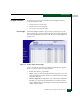
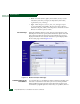
• Port Name - The user-defined name or description for the port.
• Type - The Port type (G_Port, F_Port, or E_Port) type of port
(G_Port if nothing is attached to the port, F_Port if a device is
attached to the port, and E_Port if the port is connected to another
director or switch as part of an ISL).
• Operating Speed - The operating speed of the port (Not
Established, 1 Gbps, 2 Gbps, or 10 Gbps).
• Port WWN - The Fibre Channel WWN for the director port.
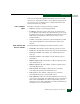
• Block Configuration - A user-configured state for the port
(Blocked or Unblocked).
• LIN Alerts Configuration - A user-specified state for the port
(On or Off), configured through the Configure Ports dialog box.
• FAN Configuration - A user-configured state for FAN
configuration (Enabled or Disabled).
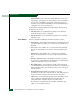
• Beaconing - User-specified for the port (On or Off). When
beaconing is enabled, a yellow triangle appears adjacent to the
status field.
• Link Incident - If no link incidents are recorded, None appears in
the status field. If a link incident is recorded, a summary appears
describing the incident, and a yellow triangle appears adjacent to
the status field. Valid summaries are:
— Implicit incident.
— Bit-error threshold exceeded.
— Link failure - loss of signal or loss of synchronization.
— Link failure - not-operational primitive sequence received.
— Link failure - primitive sequence timeout.
— Link failure - invalid primitive sequence received for the
current link state.
• Operational State - The state of the port (Online, Offline,
Beaconing, Invalid Attachment, Link Incident, Link Reset, No Light,
Not Operational, Port Failure, Segmented E_Port, or Testing). A
yellow triangle appears adjacent to the status field if the port is in
a non-standard state that requires attention. A red and yellow
diamond appears adjacent to the status field if the port fails.