
FW 07.00.00/HAFM SW 08.06.00 McDATA Intrepid 6064 Director Installation and Service Manual (620-000108-920, April 2005)

4
Power-Off Procedure
4-53
Repair Information
Power-Off Procedure
NOTE: Powering the director off and on (performing a power cycle) resets all
logic cards and executes POSTs. When performing a power cycle, wait
approximately 30 seconds before switching power on.
NOTE: When the director is powered off, the operation of attached Fibre
Channel devices is disrupted. Do not power off the director unless directed to
do so by a procedural step or the next level of support.
To power off the director:
1. Notify the customer the director will be powered off. Ensure the
customer system administrator quiesces Fibre Channel frame
traffic through the director and sets attached devices offline.
2. Set the director offline (Set the Director Online or Offline on
page 4-43).
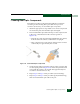
3. At the bottom rear of the director, set the power switch (circuit
breaker) to the down position. The director powers off.
4. If servicing the director, disconnect power cord(s) from the input
power module at the bottom rear of the director. This step is not
required when performing a power cycle.
IML, IPL, or Reset the Director
This section describes procedures to IML, IPL, or reset the Intrepid
6064 Director. An IML or reset is performed at the CTP front panel
using the IML or the RESET button. An IPL is performed from the
management server (Intrepid 6064 Element Manager application).
The SANpilot interface does not provide an IML, IPL, or director
reset function.
ATTENTION! A reset should only be performed if a CTP card failure is
indicated. Do not reset the director unless directed to do so by a procedural
step or the next level of support.
An IML and IPL are functionally equivalent. The operations do not
cause power-on diagnostics to execute and are not disruptive to Fibre
Channel traffic. Both operations: