
FW 07.00.00/HAFM SW 08.06.00 McDATA Intrepid 6064 Director Installation and Service Manual (620-000108-920, April 2005)

4
Managing Firmware Versions
4-61
Repair Information
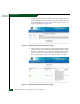
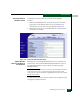
8. In the Action column adjacent to the approved request for the
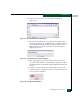
firmware version, click Download. The File Download dialog box
displays (Figure 4-38).
Figure 4-38 File Download Dialog Box
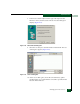
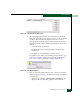
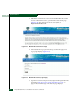
9. Select the Save this file to disk radio button and click OK. The Save
As dialog box appears (Figure 4-39).
Figure 4-39 Save As Dialog Box
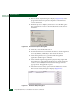
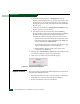
10. At the Save As dialog box, ensure the correct directory path is
specified at the Save in field and the correct file is specified in the
File name field. Click Save.