
FW 07.00.00/HAFM SW 08.06.00 McDATA Intrepid 6064 Director Installation and Service Manual (620-000108-920, April 2005)

4
Managing Firmware Versions
4-63
Repair Information
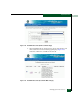
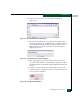
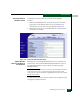
18. Click New. The New Firmware Version dialog box displays
(Figure 4-42).
Figure 4-42 New Firmware Version Dialog Box
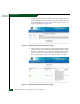
19. Select the desired firmware version file (downloaded in step 1)
from the management server diskette drive or hard drive. Ensure
the correct directory path and filename appear in the File name
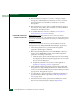
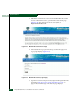
field and click Save. The New Firmware Description dialog box
displays (Figure 4-43).
Figure 4-43 New Firmware Description Dialog Box
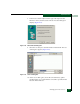
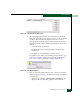
20. Enter a description (up to 24 characters) for the new firmware
version and click OK. It is recommended the description include
the installation date and text that uniquely identifies the firmware
version.
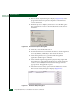
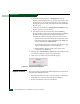
21. A Transfer Complete message box displays (Figure 4-44). As the
transfer progresses, a progress bar travels across the message box
to show percent completion.
Figure 4-44 File Transfer Message Box