
FW 07.00.00/HAFM SW 08.06.00 McDATA Intrepid 6064 Director Installation and Service Manual (620-000108-920, April 2005)

4
Managing Firmware Versions
4-65
Repair Information
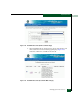
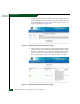
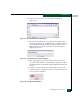
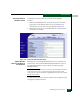
Figure 4-45 Firmware Library Dialog Box
6. Select (highlight) the firmware version to be downloaded and
click Send. The send function verifies existence of certain director
conditions before the download begins. If an error occurs, a
message displays indicating the problem must be fixed before
firmware is downloaded. Conditions that terminate the process
include:
— A redundant CTP card failure.
— The firmware version is being installed to the director by
another user.
— The director-to-management server link is down.
If a problem occurs and a corresponding message displays, go to
MAP 0000: Start MAP on page 3-9 to isolate the problem. If no
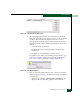
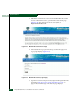
error occurs, a Warning dialog box displays (Figure 4-46).
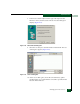
Figure 4-46 Warning Dialog Box
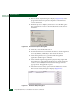
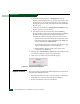
7. Click Yes to download the firmware version. The Send Firmware
dialog box displays (Figure 4-47) and the following occur during
the download:
a. As the download begins, a Writing data to FLASH message
displays at the top of the dialog box for a few moments.