
FW 07.00.00/HAFM SW 08.06.00 McDATA Intrepid 6064 Director Installation and Service Manual (620-000108-920, April 2005)

4
4-66
Intrepid® 6064 Director Installation and Service Manual
Repair Information
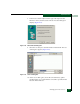
b. As the download progresses, a Sending Files message
displays. This message remains as a progress bar travels across
the dialog box to show percent completion of the download.
The bar progresses to 100% when the last file is transmitted to
the CTP card.
c. As the download finishes, a Writing data to FLASH message
displays again for a few moments.
d. The director performs an IPL, during which an IPLing
message displays at the Send Firmware dialog box. In addition,
the director-to-management server Ethernet link drops
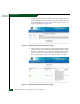
momentarily and the following occur at the Hardware View:
• As the network connection drops, the Intrepid 6064 Status
table turns yellow, the Status field displays No Link, and
the State field displays Link Timeout.
• The status bar at the bottom of the window displays a grey
square, indicating director status is unknown.
• Illustrated FRUs disappear, and appear again as the
connection is re-established.
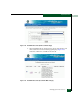
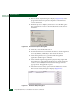
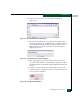
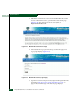
8. After the IPL, a Send firmware complete message displays at the
Send Firmware dialog box (Figure 4-47). Click Close.
9. Click Close to close the Firmware Library dialog box.
Figure 4-47 Send Firmware Dialog Box
SANpilot Interface
Service personnel can perform the following firmware management
tasks from the SANpilot interface:
• Determine the firmware version actively running on the director.
• Add a firmware versions to the browser PC hard drive.
• Download a firmware version to the director.