
FW 07.00.00/HAFM SW 08.06.00 McDATA Intrepid 6064 Director Installation and Service Manual (620-000108-920, April 2005)

4
4-74
Intrepid® 6064 Director Installation and Service Manual
Repair Information
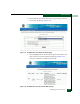
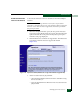
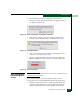
4. Click Send and Load Firmware. A browser-specific message box
displays (Figure 4-59).
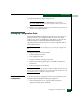
Figure 4-59 Browser-Specific Message Box
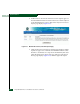
5. Click OK to download the firmware version to the director. The
download takes several minutes to complete, during which the
browser is unavailable.
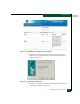
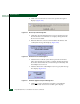
6. When the firmware version is downloaded to the director and
verified, this message box displays (Figure 4-60).
Figure 4-60 Firmware Received Message Box
7. After firmware verification, the director performs an IPL that
takes approximately 30 seconds to complete. During the IPL, the
browser-to-director Internet connection drops momentarily and
the SANpilot session is lost.
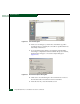
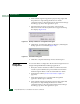
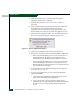
8. After the director IPL and SANpilot session logout, this message
box displays (Figure 4-61).
Figure 4-61 Firmware Upgrade Complete Message Box
9. Click here to login to the director and start a new SANpilot
session. The Enter Network Password dialog box displays.