
FW 07.00.00/HAFM SW 08.06.00 McDATA Intrepid 6064 Director Installation and Service Manual (620-000108-920, April 2005)

4
Managing Configuration Data
4-75
Repair Information
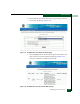
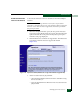
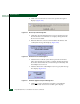
10. Type the default user name and password.
NOTE: The default user name is Administrator and the default
password is password. The user name and password are case-sensitive.
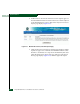
11. Click OK. The SANpilot interface opens with the View panel open
and the Switch page displayed.
Managing Configuration Data
The Intrepid 6064 Element Manager application provides options to
back up and restore the configuration files stored in nonvolatile
random-access memory (NV-RAM) on both director CTP cards.The
SANpilot interface and the Intrepid 6064 Element Manager
application both provide the option to reset the configuration file to
factory default values.
NOTE: The director must be set offline prior to restoring the configuration
file.
Configuration data in the file includes:
• Director identification data.
• Port configuration data.
• Director and fabric operating parameters.
• Simple network management protocol (SNMP) configuration
information.
• Zoning configuration information.
NOTE: The Element Manager application and the SANpilot interface provide
the option to reset the configuration file to factory defaults. The director must
be set offline prior to resetting the configuration file.
Back Up the
Configuration
To back up the director configuration file to the management server
using the Intrepid 6064 Element Manager application:
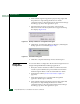
1. At the management server, open the SAN management
application (SANavigator or EFCM).