
FW 07.00.00/HAFM SW 08.06.00 McDATA Intrepid 6064 Director Installation and Service Manual (620-000108-920, April 2005)

4
Managing Configuration Data
4-77
Repair Information
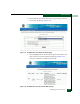
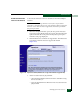
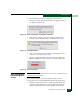
5. Select the Backup & Restore Configuration option from the
Maintenance menu. The Backup and Restore Configuration dialog
box displays (Figure 4-64).
Figure 4-64 Backup and Restore Configuration Dialog Box
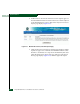
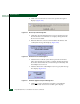
6. Click Restore. A Warning dialog box displays, indicating the
existing configuration file is to be overwritten (Figure 4-65).
Figure 4-65 Warning Dialog Box
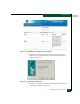
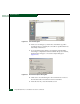
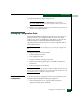
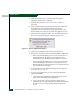
7. Click Yes. A Restore dialog box displays, indicating the restore
operation is in progress (Figure 4-66).
8. When the operation finishes, the Restore dialog box displays a
Restore complete message. Click Close to close the dialog box.
Figure 4-66 Restore Dialog Box
Reset Configuration
Data Management
Server)
NOTE: When director configuration data is reset to factory default values, all
optional features are disabled.
To reset director data to the factory default settings from the
management server (Intrepid 6064 Element Manager application):
1. Notify the customer the director will be set offline. Ensure the
customer system administrator quiesces Fibre Channel frame
traffic through the director and sets attached devices offline.